
Stop Junk Leads: 4 Google Ads Settings to Change Now
Every PPC expert on your feed is telling you the same thing: "Lean into Google’s automation! Let the algorithm find your audience!" But if you’re a small business owner and you aren't careful, following that advice blindly is exactly why your inbox is filled with spam, junk leads, and "potential customers" from foreign countries who are just looking for a payday.
Look, I’ve seen almost everything there is to see in Google Ads. I’ve managed multi-million dollar accounts, and I’ll be the first to admit: I’ve screwed up more than once by trusting the default settings. The reality is that Google’s defaults are rarely designed to give you the highest quality leads. If you’re tired of paying for junk, I’m giving you a cheat code. Here are four specific settings that are likely sabotaging your results right now.
1. The "Unknown" Demographic Factor
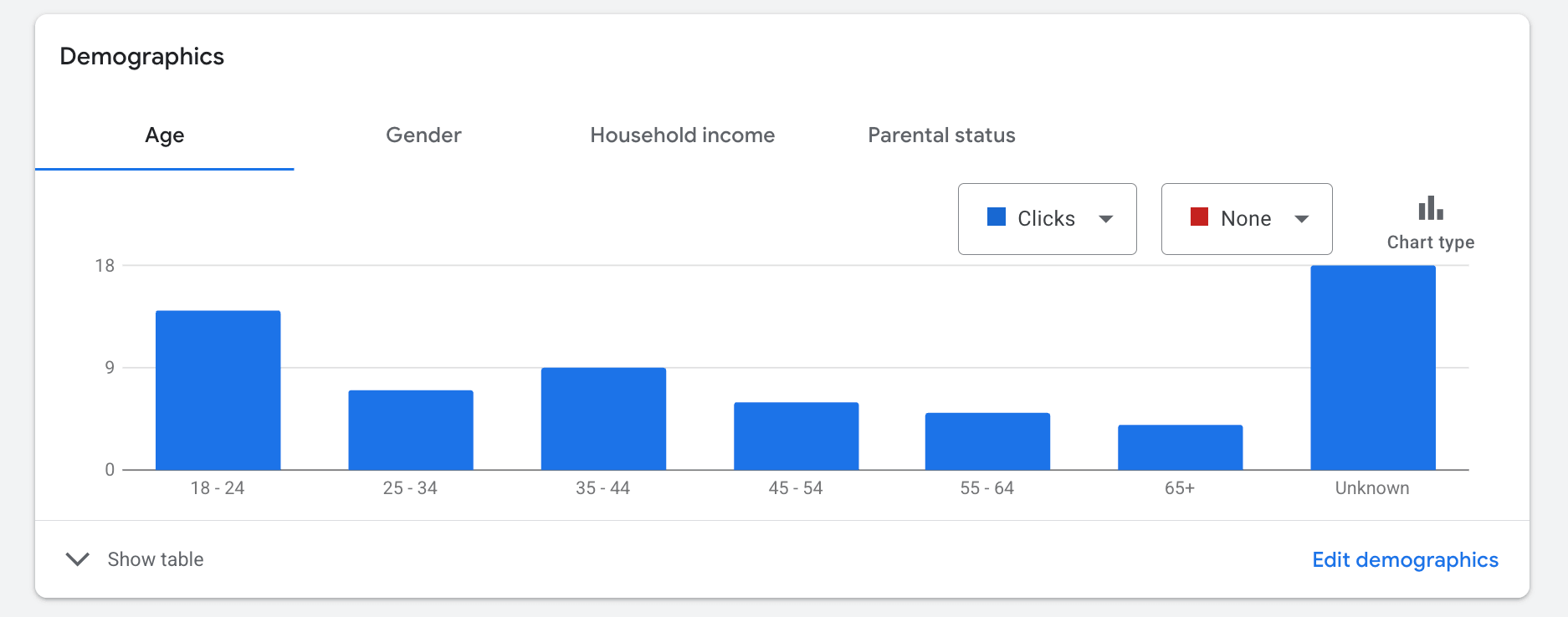
If you head into your campaign and look under Audiences and Demographics, you’ll see the standard categories: age, gender, and household income. But at the bottom of those lists, there’s a category called "Unknown."
Most advertisers leave this alone because they’re afraid of missing out on traffic. But here’s the truth: a huge portion of bot traffic and click farms hide in that "Unknown" category. If Google doesn’t know who they are, why are you paying $25 for the click? If you're on a limited budget, I'd much rather your money go toward an audience Google actually recognizes. Go to the campaign level and exclude these "Unknown" categories. I’ve seen lead quality jump almost instantly because you're telling Google: "If you don't know who they are, I don't want to pay for them."
2. Kill the Display Network Expansion
When you set up a Search campaign, Google loves to keep a little box checked that says "Include Google Display Network." They’ll tell you that you’ll get more conversions for a similar cost. In my 15+ years in Google Ads, I can count on one hand how many times that has actually been true.
What actually happens? Your text ad gets turned into a banner on a random flashlight app or a junk YouTube channel. Someone clicks it by mistake, fills out a form, and suddenly the system starts optimizing for more people like that. It’s a downward spiral of low quality. The Rule: If you want to run Display ads, put them in their own separate campaign. Go into your Search settings, find "Networks," and uncheck "Include Display Network."
3. Tighten Your Location Targeting
This is one of the most common mistakes I see. By default, Google targets "Presence or Interest." This means if you’re a plumber in Chicago, your ad could show to someone in another country who just searched for Chicago news recently. That is a massive source of foreign spam with your location targeting.
- Switch to "Presence": Change your location settings to target people in or regularly in your targeted locations only.
- Create a "Secondary Wall": Don't just target your area; actively exclude countries that are known sources of spam. It takes a few extra minutes to set up, but it acts as a permanent shield for your budget.
4. Fix Your Call Conversion Threshold
If you're tracking phone calls, you've probably noticed short hang-ups being counted as conversions. This messes up your optimization because Google thinks a 5-second hang-up is a "win" and tries to find more people who call and hang up!
Go to Conversions, find your "Calls from Ads," and click Edit Settings. The default "Call Length" is often 30 seconds. Ask yourself: can you actually qualify a lead in 30 seconds? Probably not. Increase that threshold to 60 or 90 seconds. This forces the algorithm to stop looking for the "click-to-call" crowd and start finding people who actually stay on the line to have a conversation with your team.
Stop letting these default settings treat your marketing budget like an open bar. These four changes take less than 20 minutes to implement, but they will fundamentally change the caliber of leads hitting your CRM.
Stop Wasting Money Marketing Your Business Online
Join my email list to get your copy of the Online Marketing Jumpstart PDF!
We hate SPAM. We will never sell your information, for any reason.
Written By:

