
How to Set Your Google Ads Budget
What if I told you that you could save thousands of dollars per month in Google Ads simply because you’re currently spending too much for your actual goals? It sounds bold, but I see it every day. Too many advertisers have no clue why they’ve settled on their specific budget. They just pick a number, run with it, and that becomes their "strategy" for the next year.
If you want to grow your website traffic and scale your digital marketing strategies effectively, you have to move past guesswork. Today, I’m breaking down three common Google Ads budgeting methods to help you find the right fit for your business. Stick around for the third one—it’s my personal favorite and the most powerful way to run a PPC campaign.
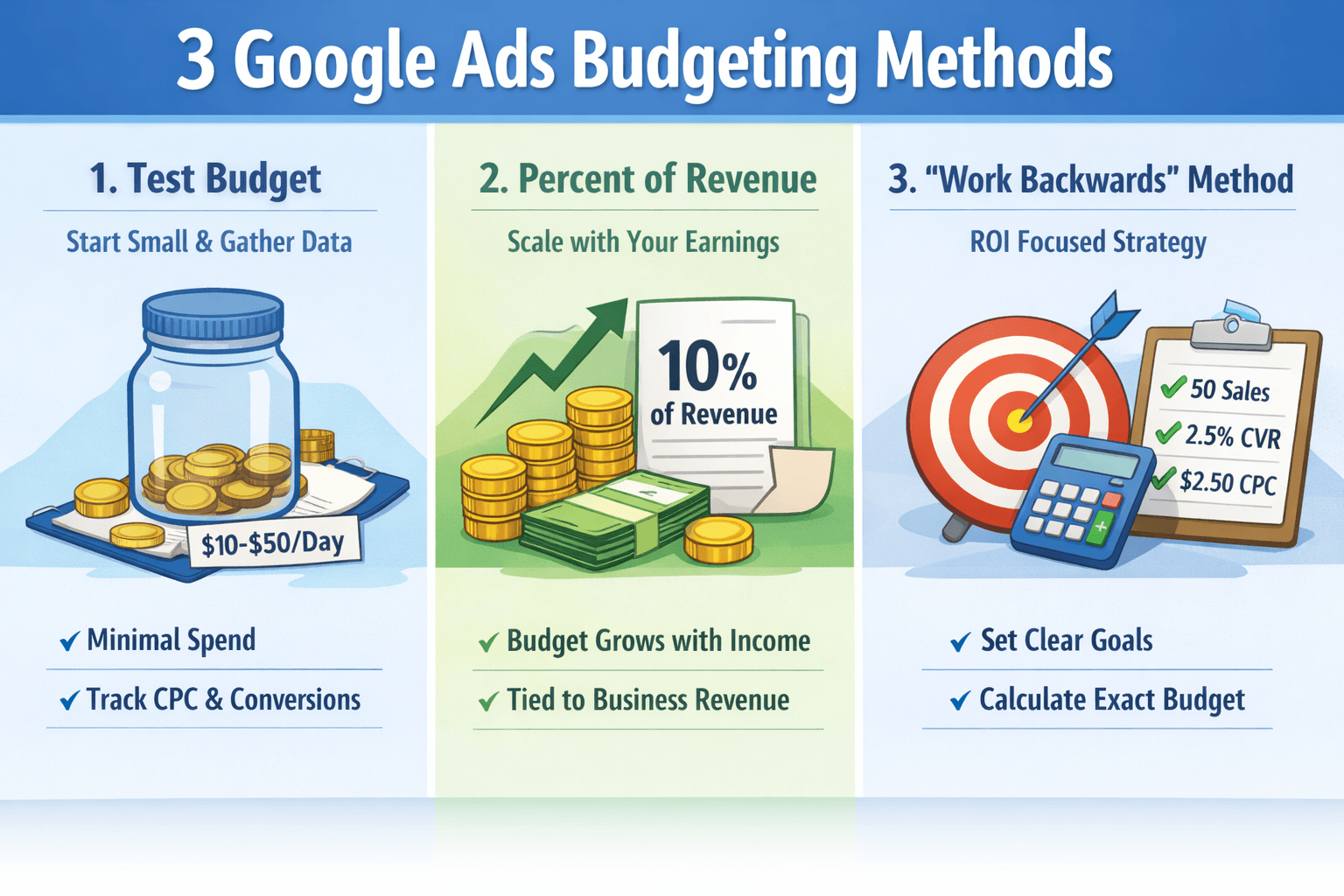
Method 1: The Test Budget (Minimum Viable Budget)
This is what I call the "get your feet wet" approach. In this method, you allocate the minimal amount of spend necessary to gather performance data. While it’s a common starting point, the mistake many small business owners make is staying here too long without ever updating their strategy once the data starts rolling in.
How it works:
- Set a small daily budget (typically $10 to $50 per day).
- Run the campaign for a defined period, usually two to four weeks.
- Focus entirely on data collection—tracking your cost per click (CPC) and seeing if any conversions trickle in.
This is perfect for brand-new accounts or testing a new market where you aren't sure if a click will cost you $0.50 or $5.00. Just don't expect massive results yet; if you spend $750 over a month to get 100 clicks, your goal isn't immediate ROI—it’s the intel you need to pivot to a better method.
Method 2: Percent of Revenue or Profit
This method is a step up because it ties your marketing spend to your business's health. You simply allocate a consistent portion of your gross revenue or profit to your Google Ads budget. It’s a very common digital marketing strategy for businesses looking for sustainable, long-term growth. (here is a tool I created to help you figure out PPC percent of revenue)
The Pros and Cons:
- The Pro: Your budget scales dynamically. When revenue is up, you invest more; when things are lean, your spend automatically decreases to protect your margins.
- The Con: It’s not performance-focused. If your revenue goes up due to seasonal trends or other efforts, you might end up dumping more money into a poorly performing ad account just because the "rule" says so.
For example, if your business brings in $50,000 a month and you’re comfortable allocating 10%, your monthly budget is $5,000. It’s clean and simple, but it still doesn't tell the whole story of your PPC performance.
Method 3: The "Work Backwards" Method (My Favorite!)
This is the gold standard for anyone serious about website traffic growth and ROI. Instead of starting with what you're "willing" to spend, you start with the specific outcome you want to achieve and work the math backward to find the necessary spend.
The Step-by-Step Calculation:
- Set your conversion goal: How many leads or sales do you actually need this month?
- Identify your conversion rate (CVR): If you’re new, you can use industry averages or the Google Keyword Planner, but actual account data is always best.
- Identify your average CPC: What are you currently paying for a single click?
- Calculate required clicks: Divide your target conversions by your conversion rate.
- Find your budget: Multiply those required clicks by your average CPC.
Let’s look at an example: If you want 50 sales, your conversion rate is 2.5%, and your CPC is $2.50, the math tells us you need 2,000 clicks. At $2.50 a pop, your ideal budget is $5,000. This is my favorite approach because it’s rooted in reality. It treats your Google Ads budget as an investment with a predictable return rather than just an expense.
Frequently Asked Questions
How do I know if my test budget is too low to see results? If your daily budget is lower than the average cost of two or three clicks in your industry, you’re going to have a hard time. You need enough volume to actually test your landing page and offer. If you’re only getting one click a day, it’ll take you all year to get enough data to make a single decision!
What should I do if the "Work Backwards" method gives me a number I can't afford yet? Don't sweat it! If the math says you need $5,000 to hit your goal but you only have $2,000, just adjust your expectations. Use that $2,000 as efficiently as possible on your highest-performing keywords, and as those sales come in, reinvest the profit to scale up to that $5,000 mark over time.
Should I change my budget every single week? I wouldn't recommend it. Google’s algorithm needs a bit of stability to learn. I usually suggest making budget adjustments on a monthly or quarterly basis, unless you see something performing so well that you absolutely have to pour more fuel on the fire right away.
Stop Wasting Money Marketing Your Business Online
Join my email list to get your copy of the Online Marketing Jumpstart PDF!
We hate SPAM. We will never sell your information, for any reason.
Written By:

